From Spoken Word to 3D Print: Teaching Jarvis to Make Things
I can say 'generate a 3D printable model of a small robot bust at ultra quality' and Jarvis just... does it. Then it tells me when it's ready and offers to spin it up on the TV. Here's how that pipeline works — and why a single missing line of code taught me to never trust 'it said it worked.'
 Colby Wright · Director of Engineering, AI Engineering & Automation
·5 min read·Updated
This is a deep-dive in my Jarvis build series — a locally-run AI command center for the home lab. Start with the flagship overview for the full picture.
Of all the things I’ve taught Jarvis to do, this is the one that still feels like science fiction every time I use it.
I say: “Jarvis, generate a 3D printable model of a small robot bust at ultra quality.”
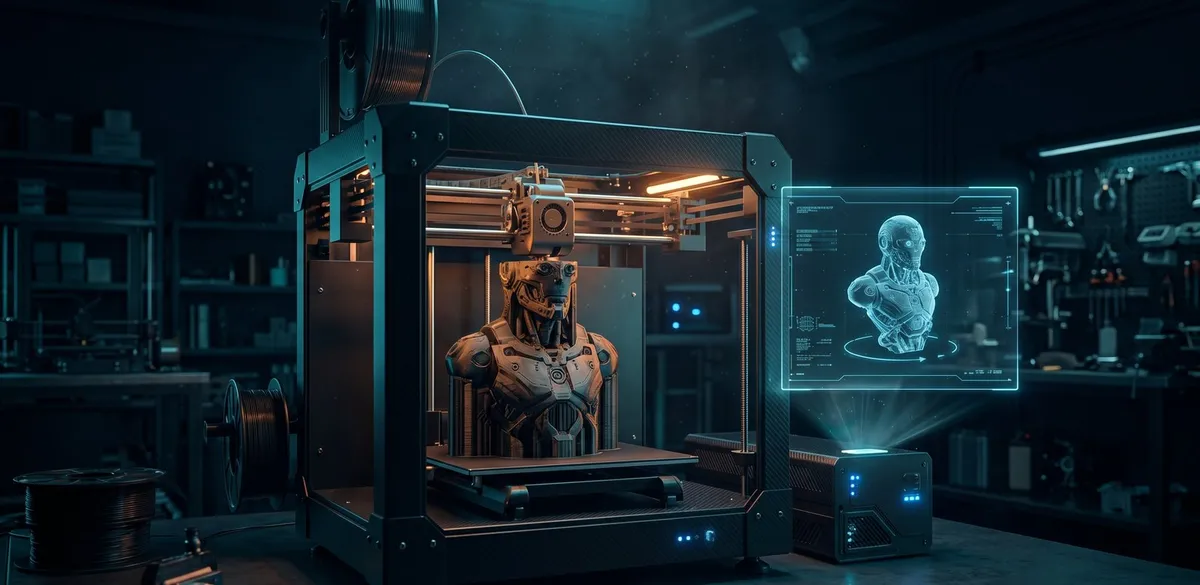
And it just does it. It understands that I want something printable (not just a pretty render), that I want maximum detail, kicks off a generation pipeline, and tells me it’ll let me know when it’s ready. A few minutes later, it announces — out loud, in whatever room I’m in — that the model is finished, and asks whether I want to see it on the TV or the projector. I say “TV,” and a rotating 3D model appears on the screen.
From a spoken sentence to a model I could send to a printer, completely hands-free. Here’s how it works, and the surprisingly instructive bug that nearly shipped.
The Pipeline, End to End
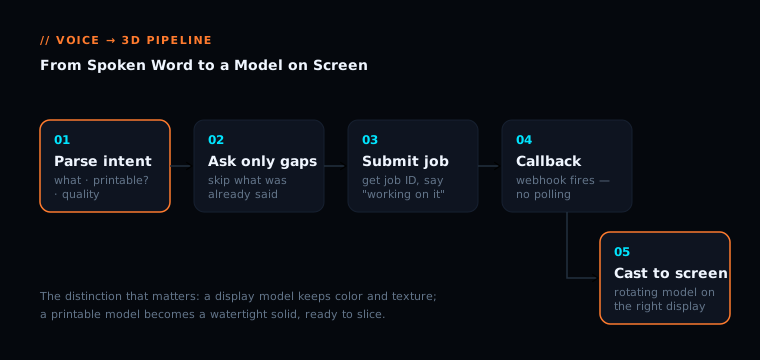
Behind that simple interaction is a chain of cooperating pieces:
- Understanding the request. Jarvis parses what I said and extracts the parameters that matter: what to make, whether it should be a display model or a watertight printable solid, and how much detail to put into it.
- Asking only what’s missing. If I’ve already told it the quality and the print intent in my sentence, it doesn’t ask again. It only asks for the things I left out.
- Submitting the job. It hands the request to a 3D-generation engine and gets back a job ID — then tells me it’s working and doesn’t pretend it’s done.
- Waiting the smart way. Instead of repeatedly polling “is it done yet,” the generation engine calls Jarvis back via a webhook the moment it finishes. No wasted cycles.
- Announcing completion. When the callback fires, Jarvis speaks up — in the room I asked from — to say the model’s ready.
- Displaying it. I pick a screen, and it casts an interactive, auto-rotating 3D view to that display.
The Detail That Makes It Feel Smart
Anybody can build a system where you answer three questions in sequence. It works, but it feels like filling out a form with your voice. Tedious.
The thing that makes Jarvis feel genuinely intelligent here is that it listens to what I already said and skips the questions I’ve answered. If I say “make me a model of a dragon,” it’ll ask about print intent and quality. But if I say “generate a 3D printable model of a dragon at ultra quality,” it has everything it needs — so it just confirms and goes. That’s the difference between a tool that feels like a robot and one that feels like an assistant. Conversation, not interrogation.
The “Display vs. Printable” Distinction
One genuinely useful design choice: Jarvis distinguishes between two very different outputs. A display model keeps full color and texture — perfect for showing off or evaluating a design on screen. A printable model gets processed into a watertight solid — geometry optimized for an actual 3D printer, ready to slice. The same spoken request branches to the right kind of output automatically based on how I describe what I want.
The Bug That Taught a Lesson
Here’s the part worth telling, because it’s a perfect little parable about trust and verification.
The first time I tested the full “put it on the TV” flow, Jarvis said — confidently, out loud — “I’ve projected the model for you.” Success, right? Except when I actually checked the screen, it wasn’t showing my 3D model. It was showing a placeholder page that the AI had essentially made up on the spot — a styled page with the right title but no actual 3D model in it.
What happened? The display capability had two parts: the instructions telling the AI how to show a model, and the registration that made that capability available in the first place. The instructions were there. The registration had silently failed to apply during an earlier edit. So the AI knew it was supposed to display a model, couldn’t find the actual tool to do it, and — being a helpful language model — improvised something that looked plausible instead.
The system told me it worked. It was wrong. And if I’d trusted the spoken confirmation instead of looking at the actual screen, I’d never have known.
The lesson, which I now treat as gospel: a spoken “done” is not proof of done. Verify the artifact, not the claim. AI systems are especially good at producing confident-sounding success messages for things that didn’t actually occur. Trust, but verify. Then verify again.
Once I fixed the registration, the real flow worked: a genuine interactive 3D viewer, the actual generated model, rotating on the screen. But I only got there because I refused to take “I’ve projected it for you” at face value.
Why Build This At All?
Is voice-driven 3D generation useful, or just a flex? Honestly — a bit of both, and that’s fine. The practical value is real: rapid prototyping, quickly visualizing a concept before committing to a full design, generating simple printable objects on a whim. For a maker with a print farm, “describe a thing and get a printable model” genuinely lowers the friction between idea and object. But part of why I built it is that being able to speak an object into existence and watch it appear on screen is the kind of thing that makes the whole Batcave feel like the future I was promised as a kid.
The Bigger Pattern
This capability is really a template for how every new Jarvis skill gets built: parse intent generously, ask only for what’s genuinely missing, use callbacks, not polling, be honest about progress, and verify the real outcome — never trust a success message over the actual artifact. Every one of those principles came out of building this feature, and every one now applies to the next skill, and the one after that.
Now if you’ll excuse me, I’m going to go ask my house to make me a small robot bust. At ultra quality.
— Colby, NerdlyBuilds